

Migrating a Static Page with AI
This guide walks through the process of moving a page written in static HTML to a content-driven service managed by WEEGLOO.
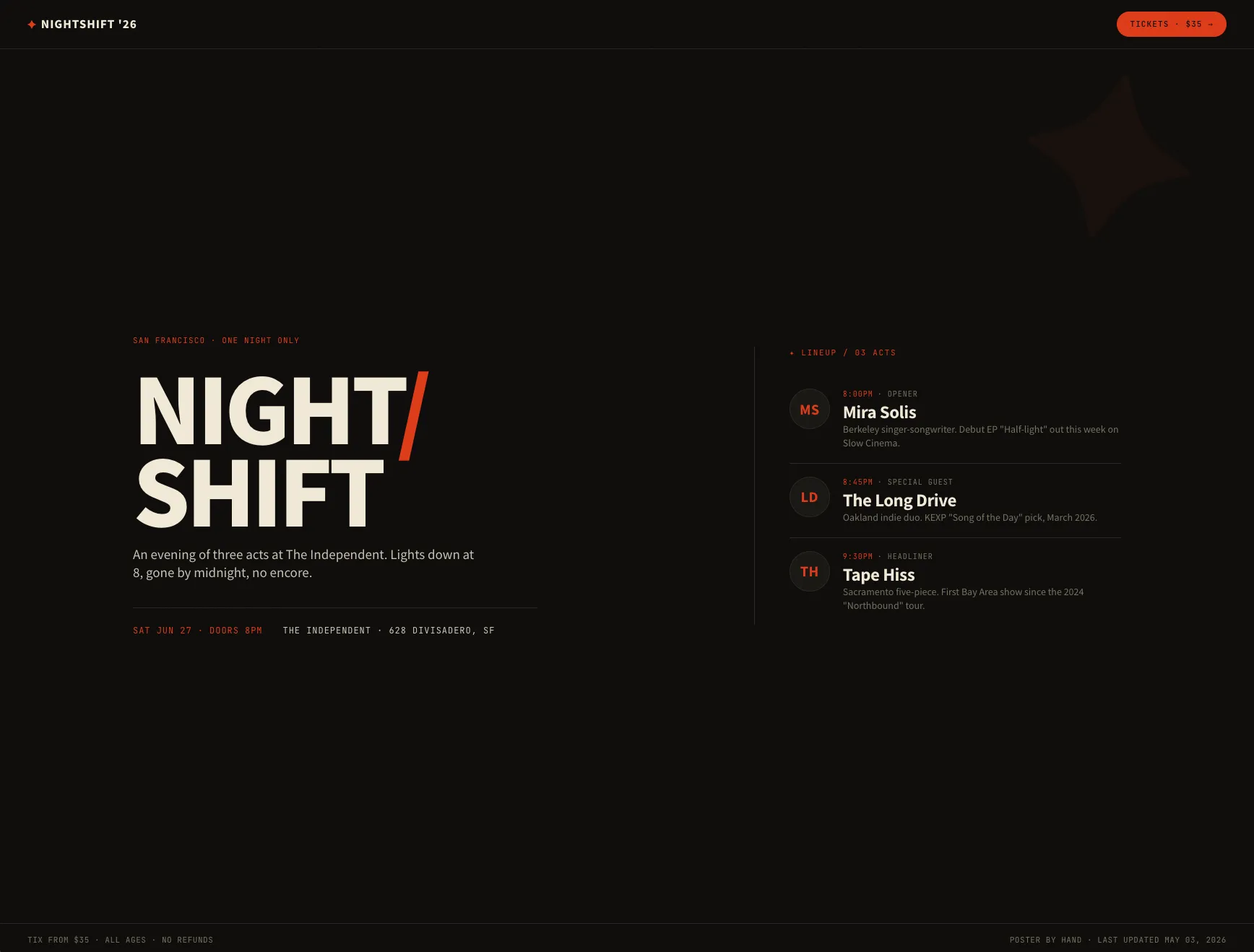
This guide uses a landing page for a single concert as its example (download). The page holds information about the concert itself along with details on the three performing artists, and all of the data is written directly into the HTML file. This kind of structure is painless when you first build the page, but it comes with a limitation: every time the lineup changes or the concert details are updated, you have to edit the HTML file by hand.
In this step you will use an LLM agent together with the WEEGLOO MCP to carry out three tasks in sequence. First, you analyze the static HTML page and automatically create the appropriate Content Types. Next, you extract the data that was written into the page and load it as Content. Finally, you modify the code so that the page pulls its data through the CDA.
Going through this process lets you move an existing static page to a WEEGLOO-based content service without building a separate backend (the behind-the-scenes system that stores and processes data) yourself.
Getting Ready
Two things need to be in place before you start.
First, a new, empty Space should be created in WEEGLOO. All of the Content Types and Content you are about to create will be managed inside this Space, and starting from an empty state makes the flow easier to follow. For more on Organization and Space, see Access and permissions.
Second, your LLM agent needs to be connected to the WEEGLOO MCP. This guide is written around the Cursor IDE, but you can follow the same flow in any environment that supports MCP, such as Claude Desktop. Installation is covered in MCP.
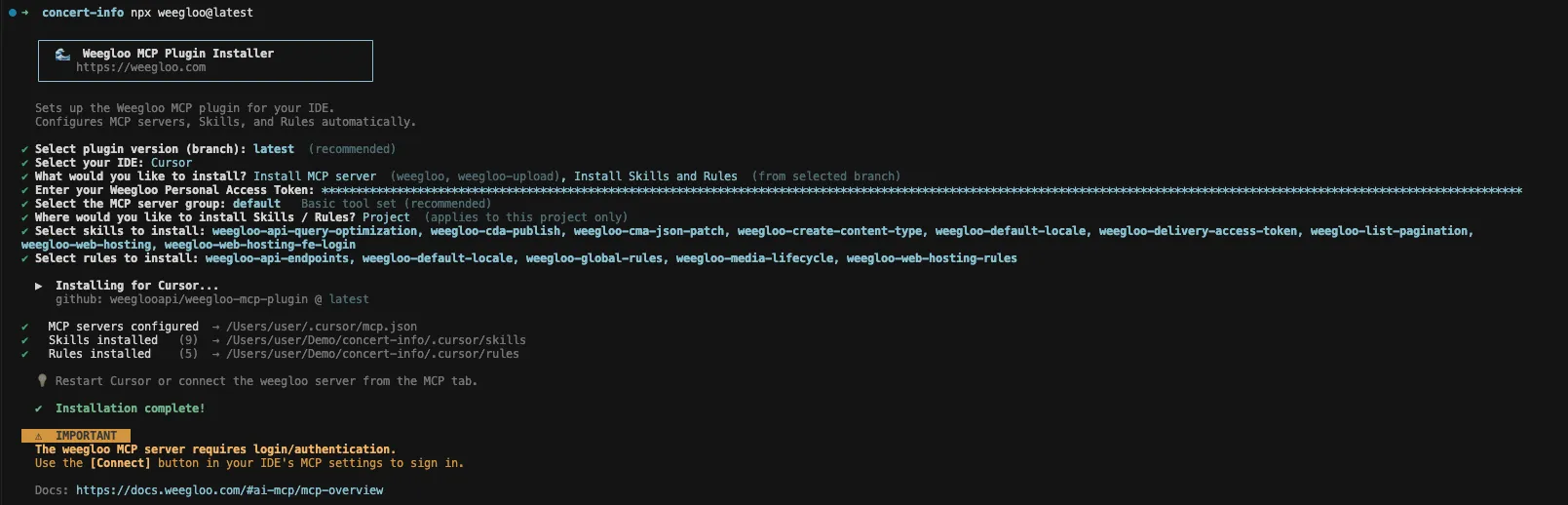
Once installation is complete, your LLM agent can directly call the tools defined in WEEGLOO's CMA (Content Management API). In other words, the LLM agent can perform tasks that a person used to do in the content studio, such as creating a Content Type or registering and publishing Content, from a plain natural-language request alone.
Modeling Your Content
The first thing to do is to define the structure of the page's data as a Content Type. A Content Type is like a blueprint for your data: it decides in advance which Fields the data managed in WEEGLOO will have.
Looking at the example page, it contains both information about the concert itself (title, date and time, venue, price, and so on) and information about the performers (name, role, set time, bio), and the two kinds of data form a one-to-many relationship. So this page naturally splits into two Content Types: one to hold the concert information and one to hold the performer information.
This analysis and Content Type creation happen automatically just by making the following request to the LLM agent.
Hey, so there's an HTML file in the project — nightshift-2026.html. It's a
landing page for a one-night concert and right now everything's hardcoded
straight into the markup (the show details, the lineup, set times, all of it).

I want to migrate it over to Weegloo so the page can pull its content from
a CMS instead of having it all baked in. Let's take it step by step rather
than doing the whole thing in one go.

To kick things off, could you take a look at nightshift-2026.html and figure
out what content types would make sense for it, then go ahead and create
them in Weegloo? We'll deal with the actual content and the API wiring in
the following steps.
On receiving the request, the LLM agent examines the structure of the HTML file to infer the kinds of data and their relationships, decides on a suitable type for each Field, and then creates the Content Types through the WEEGLOO MCP.
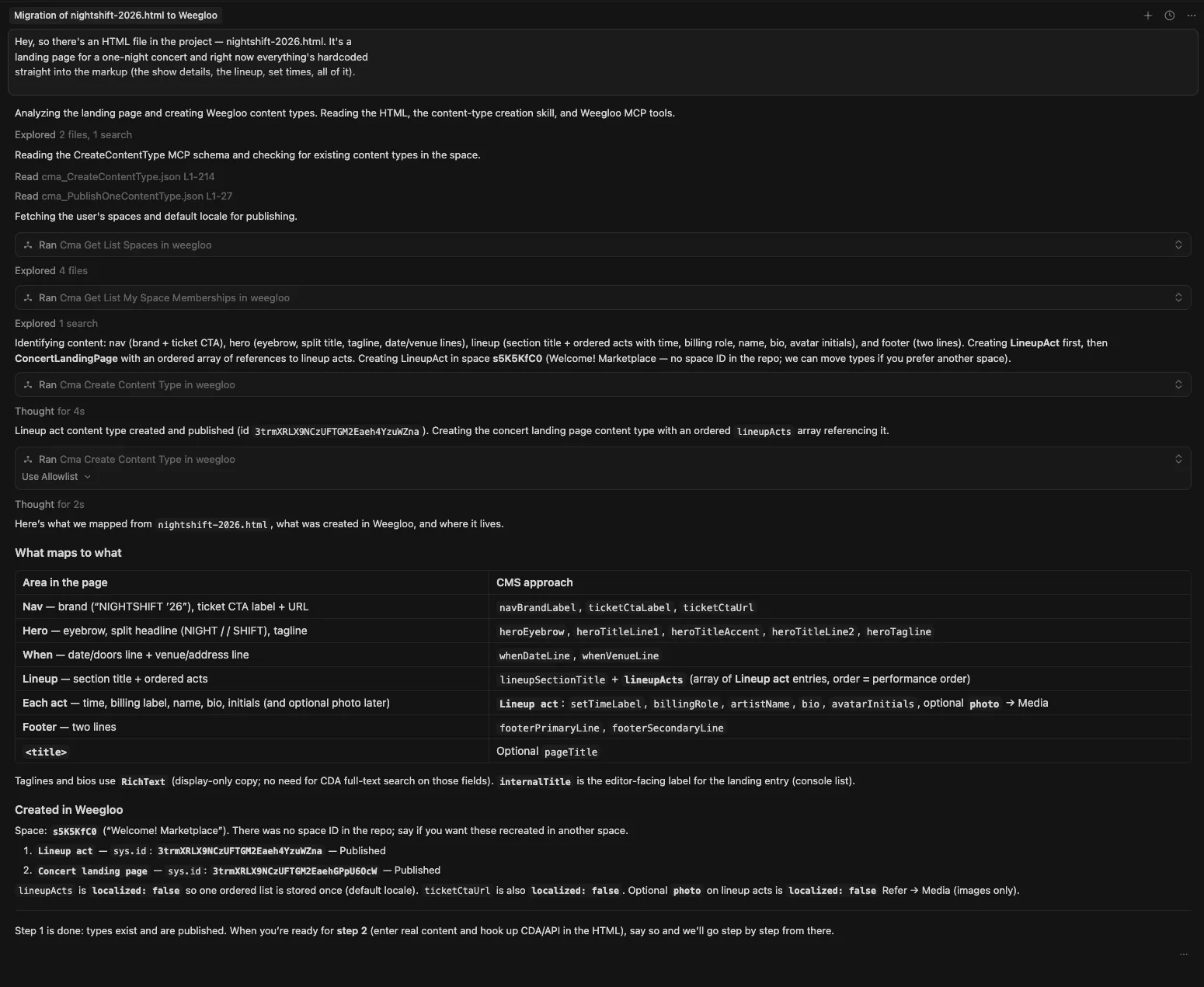
Once the work is done, opening the Content Type page in the WEEGLOO content studio shows two newly created Content Types: one representing the concert and one representing the performers. The concert Content Type has Fields such as title, date and time, venue, and price, while the performer Content Type has name, role, set time, and bio, along with a reference (Reference) Field that points to which concert it belongs to.
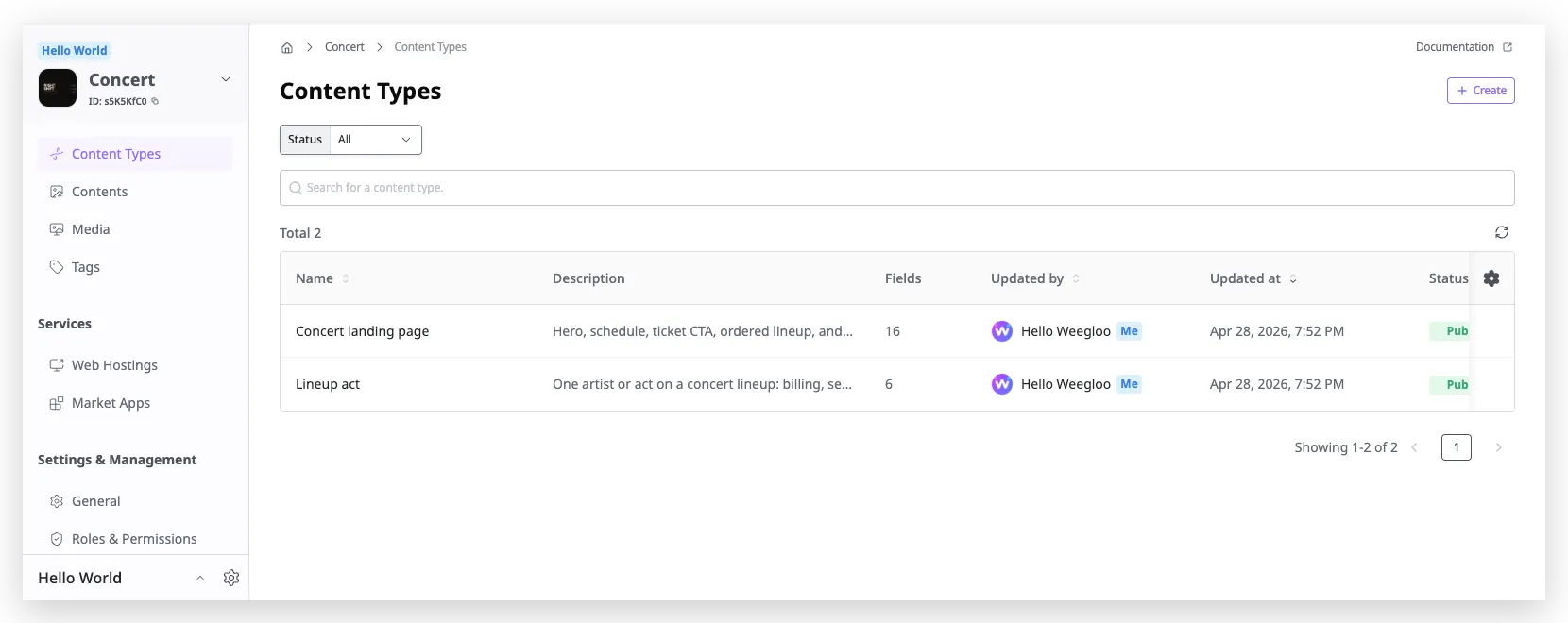
Once the Content Types are defined this way, everything is in place to load the actual data on top of that structure. For more on Content Types, see Content Modeling.
Creating Your Content
A Content Type only defines the format of the data; it does not hold any data itself. In this step, you move the actual data that was written into the page into Content, based on the Content Types you defined earlier.
When you make the following request to the LLM agent, it analyzes the page's data, creates Content that matches the Content Types, and handles publishing as well.
Alright, the content types look good. Now let's move on to actually loading
the data.

Could you go through nightshift-2026.html again, pull out the actual content
that's hardcoded in there, and create entries in Weegloo using the content
types we just made? Once everything's in, go ahead and publish them too so
they're ready to be served.
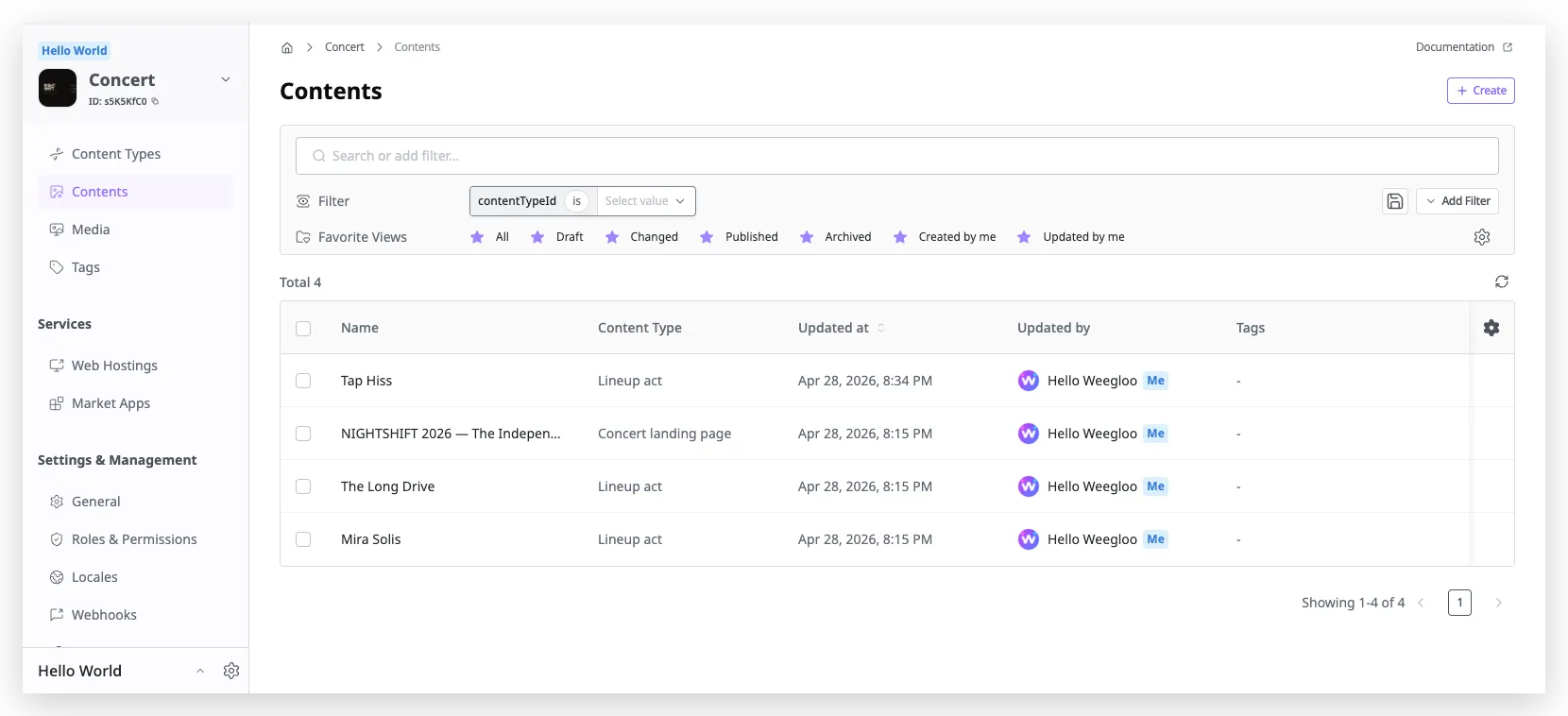
On receiving the request, the LLM agent analyzes the HTML again, splits the data into individual items, and registers one concert record and three performer records through the WEEGLOO MCP. The registered Content is published at the same time so that it can be queried externally.
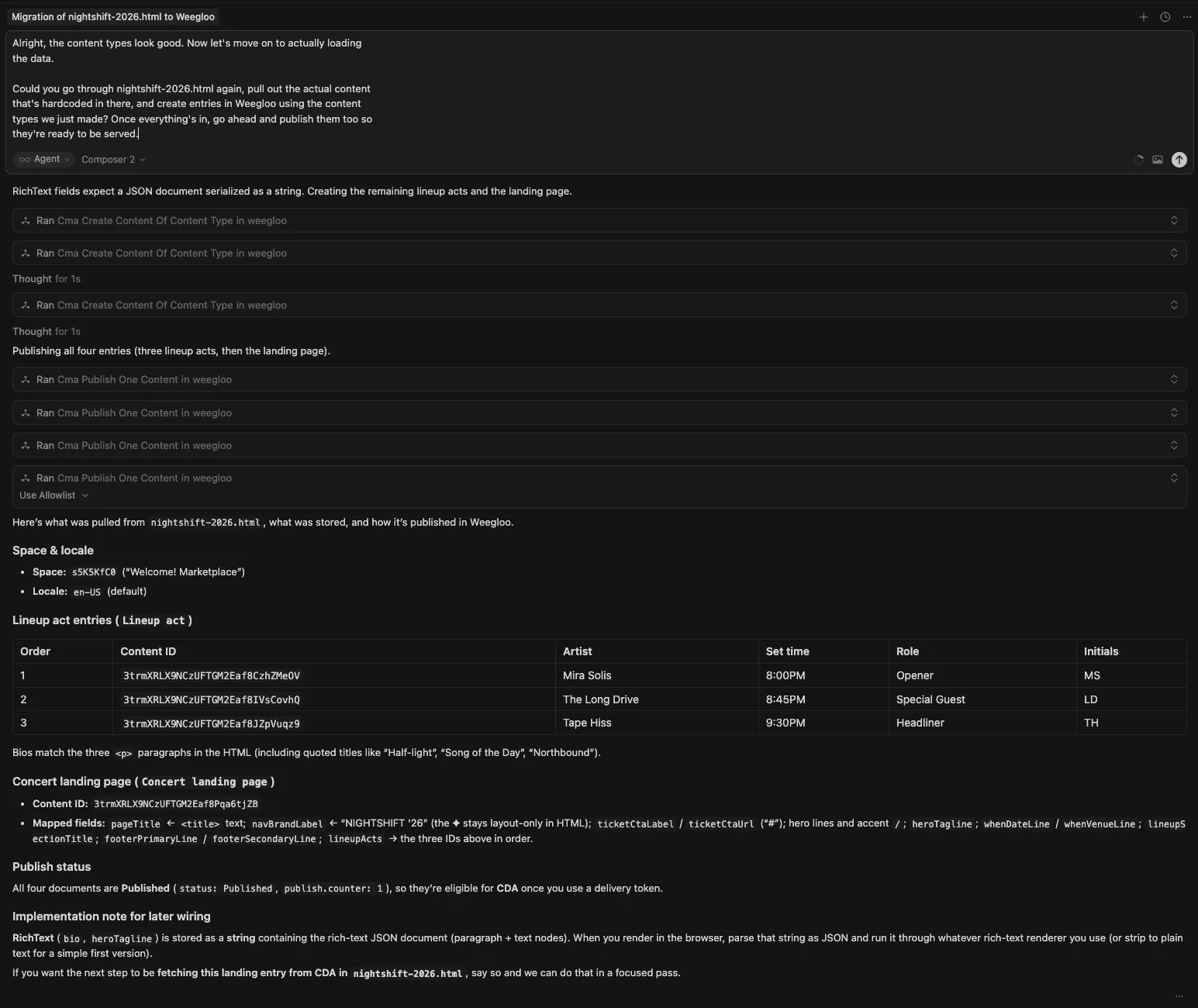
Once the work is done, opening the Content list in the WEEGLOO content studio shows one concert and three performers, all registered in a published state. From this point on, you can freely change the data through the content studio or the LLM agent without editing the page's code directly.
For more on authoring and publishing Content, see Content Authoring and Publishing.
Connecting to the CDA
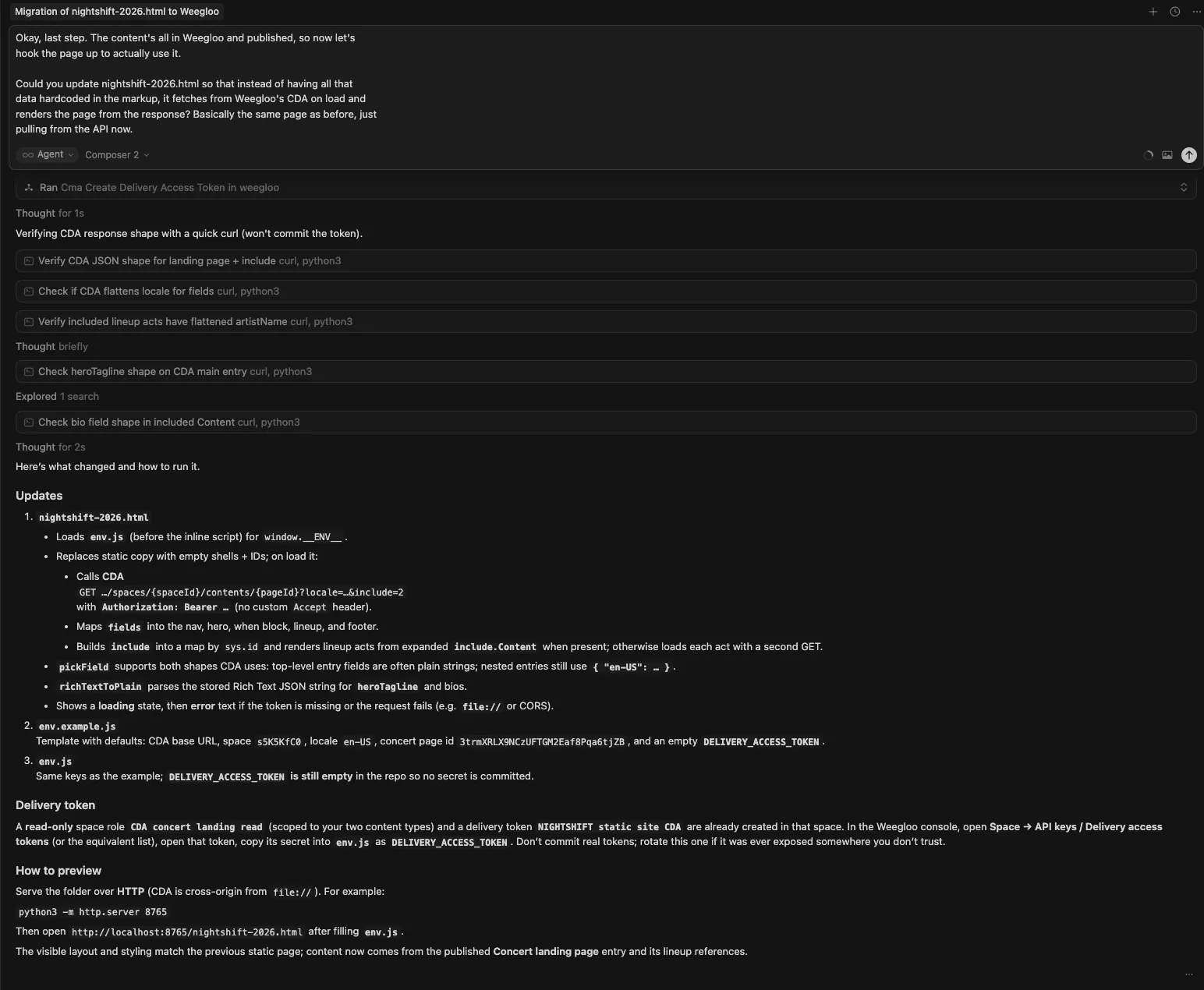
Once the data is ready, the last step is to modify the code so that the page fetches its data through WEEGLOO's CDA rather than from statically written HTML. The CDA is a read-only API provided for external services to query published Content, letting web pages and mobile apps pull WEEGLOO's data directly and use it.
This task, too, happens automatically when you make the following request to the LLM agent.
Okay, last step. The content's all in Weegloo and published, so now let's
hook the page up to actually use it.

Could you update nightshift-2026.html so that instead of having all that
data hardcoded in the markup, it fetches from Weegloo's CDA on load and
renders the page from the response? Basically the same page as before, just
pulling from the API now.
On receiving the request, the LLM agent strips out the static data that was embedded in the page and fills its place with code that calls the CDA and renders the response data on screen. Where the performer information used to be, there is now a CDA call that queries the list of performer Content; where the concert information used to be, there is a call that queries the concert Content as a single record.
After you reload the modified page and open the Network tab in your browser's developer tools, you can confirm that real requests are sent to WEEGLOO's CDA and responses arrive as the page loads.
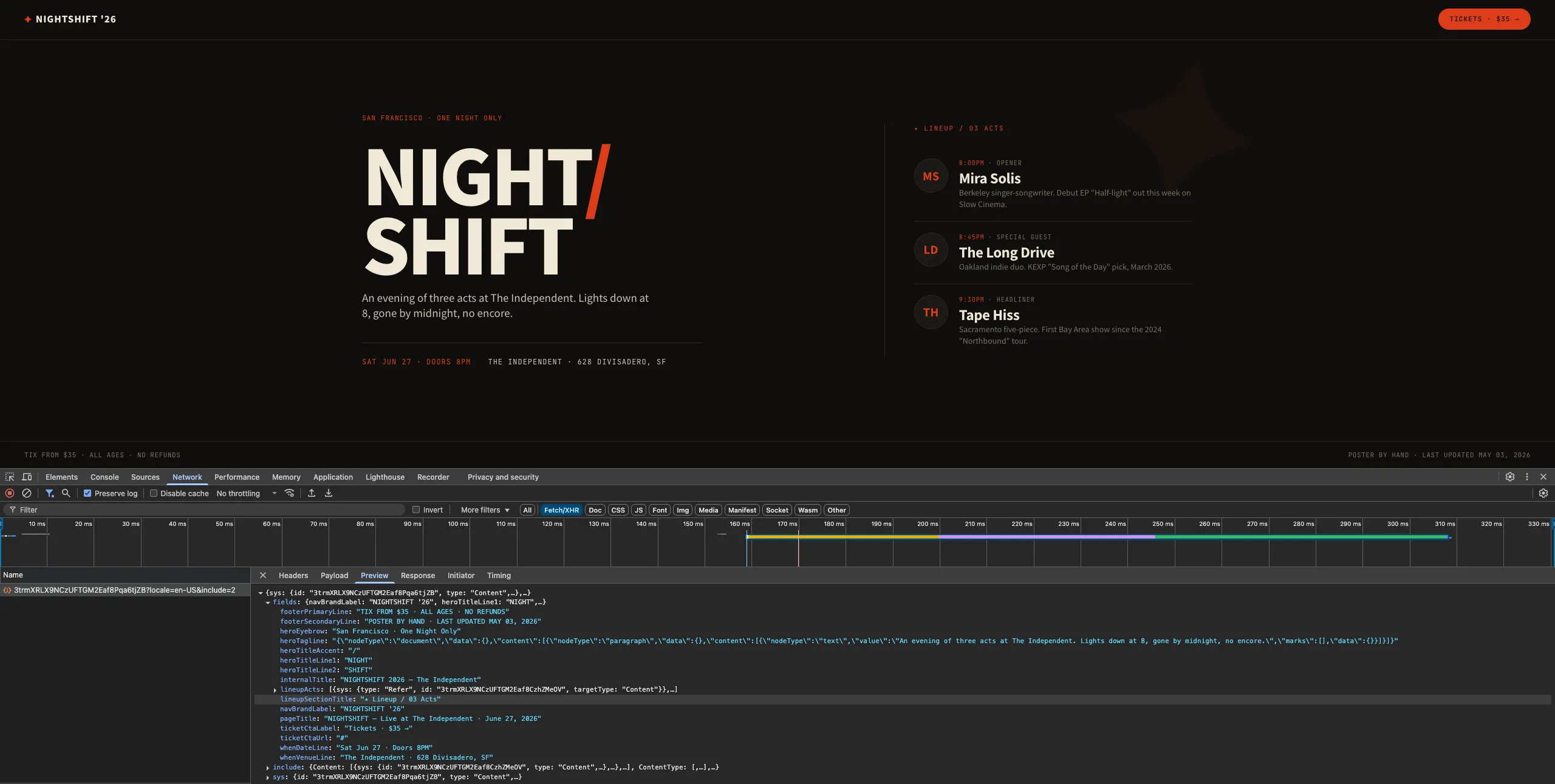
Now, if you change a performer's set time or add a new performer in the WEEGLOO content studio and then reload the page, the changes are reflected right away, with no separate build or deployment. For more on the CDA, see Content Delivery API.
So far you have moved a single, statically written HTML page to a content-driven service managed by WEEGLOO. The same flow applies just as well to more complex pages. Only the number of Content Types and the amount of Content grow; the entire process, from modeling to loading to connecting the CDA, proceeds exactly the same way.